The quarterly review clients actually look forward to
Auto-generated from live platform data, then shaped by you and the customer together in the Action Centre: risk, compliance, hardware spend and the roadmap ahead, all in one report.
The traditional QBR is rebuilt from scratch, the night before
Most QBRs are a slide deck stitched together from whatever the account manager can remember, a spreadsheet nobody's updated since last quarter, and screenshots pulled together in a rush. It looks fine, but it's not backed by anything current, and the client can tell.
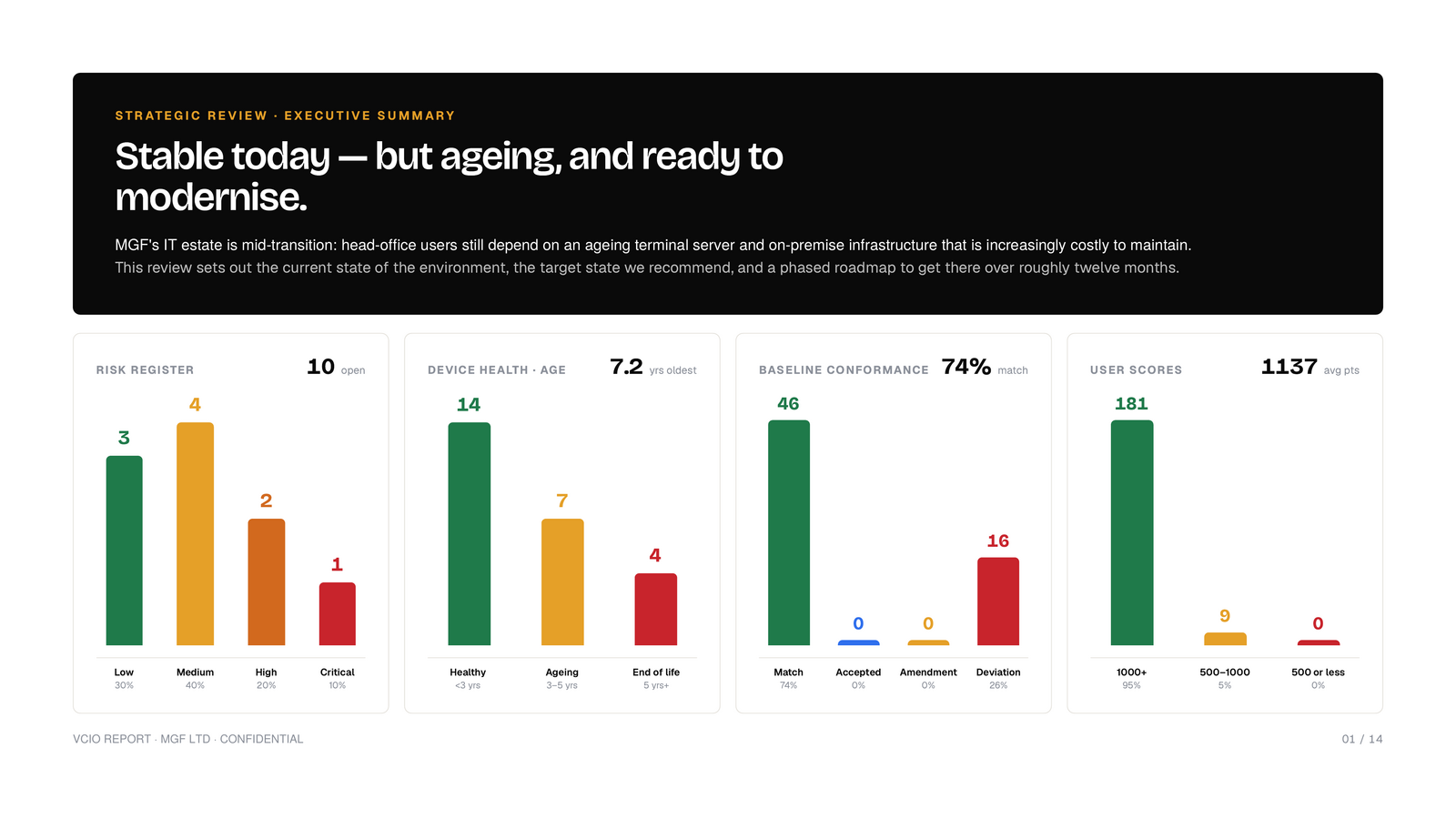
Example output from a demo account, not a real customer's data.
Auto-generated, then managed together in the Action Centre
The report is generated automatically from the same live data behind the Risk Register, Standard Library and Compliance Alignment, and both you and the customer can manage and act on that data directly in the Action Centre, not just view a static PDF.
- Executive summary and 6-month alignment trend
- Top risks, ranked and scored
- Compliance progress across all six frameworks
- Hardware lifecycle, upcoming replacements and cost
- Security awareness & phishing test scores, per employee
- Roadmap progress and a costed, phased plan with pros and cons per recommendation
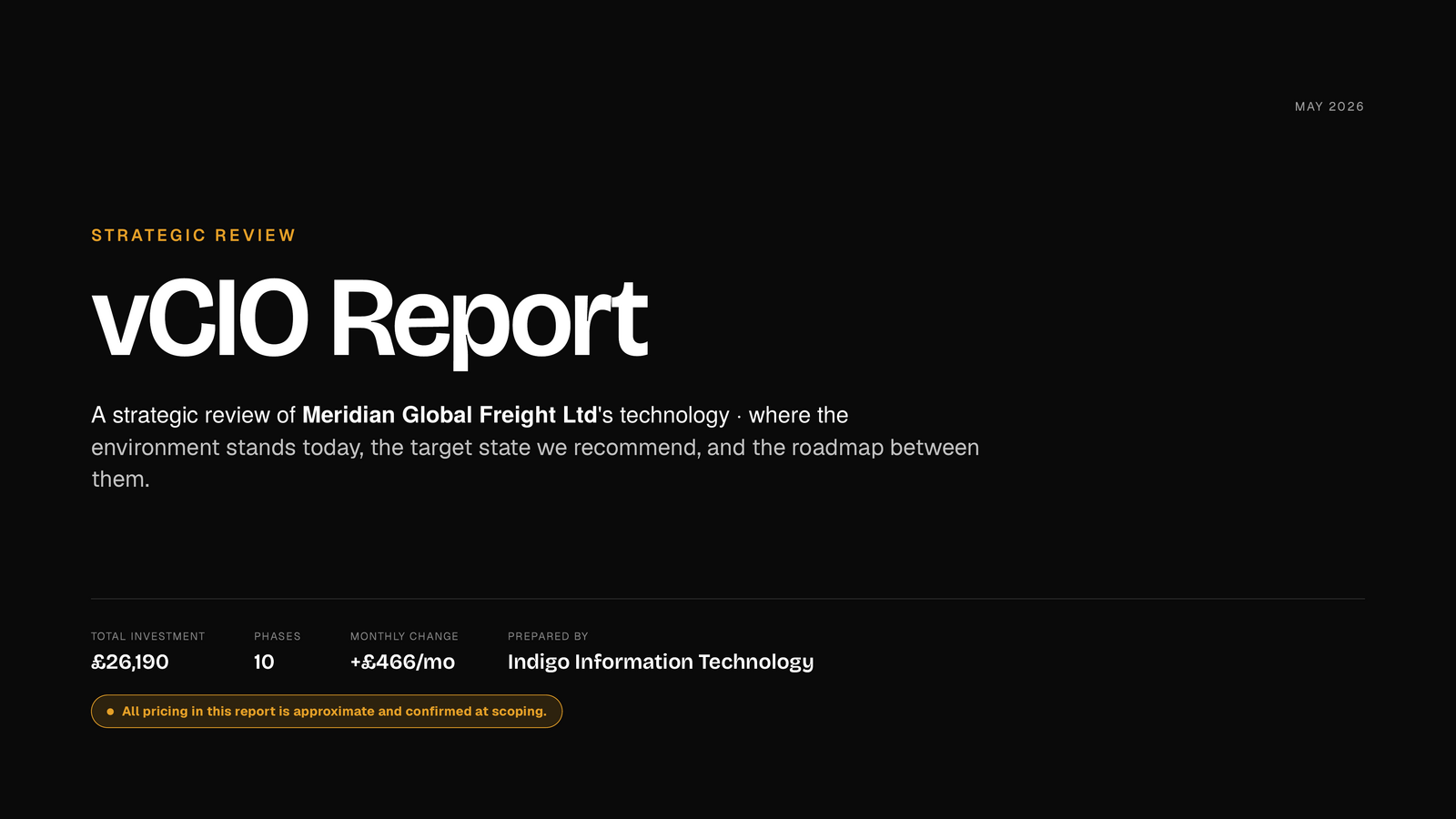
The moment the QBR earns its place on the invoice
This is the part of the Action Centre customers keep coming back to, and it's mostly what rolls up into the vCIO Report itself.
- Live view of their users and Microsoft licence allocation
- Live view of hardware assets, and which user last logged into each one
- Security awareness training and phishing test results, scored per employee
- The Policy Library and Technical Controls Library, visible to them directly
- Alignment scores against real standards: ISO 27001, Cyber Essentials and others
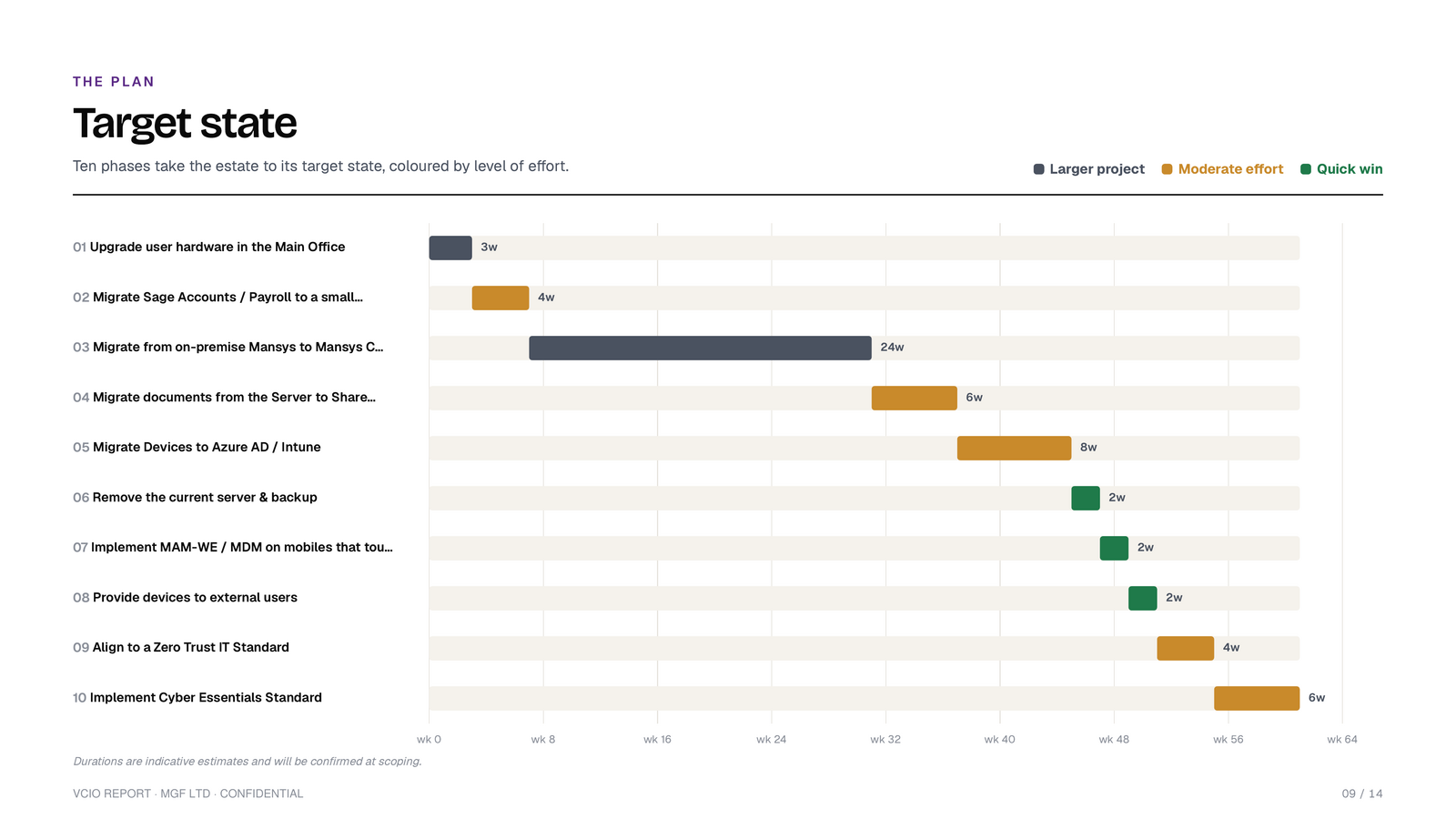
Example output from a demo account, not a real customer's data.
Built on the same data as everything else
The vCIO Report doesn't stand alone. It's the quarterly, strategic expression of the Risk Register, Standard Library and Compliance Alignment, built on the technical evidence TAM Reports gather every month.
Related features
See a QBR run against your own client list
Book a walkthrough and we'll show the full quarterly report end to end, from the Action Centre data through to the costed roadmap.
Book a demo