Everything the client needs to see, nothing you don't want them to
One place clients log into, showing live data from the Risk Register, Standard Library, Compliance Alignment and both reports, with a page-by-page switch for exactly what each client can see.
Clients either see nothing, or see everything
Most MSPs either keep clients completely in the dark between reviews, or hand over full access to a system never designed for a non-technical audience. Neither builds trust: one feels opaque, the other overwhelms.
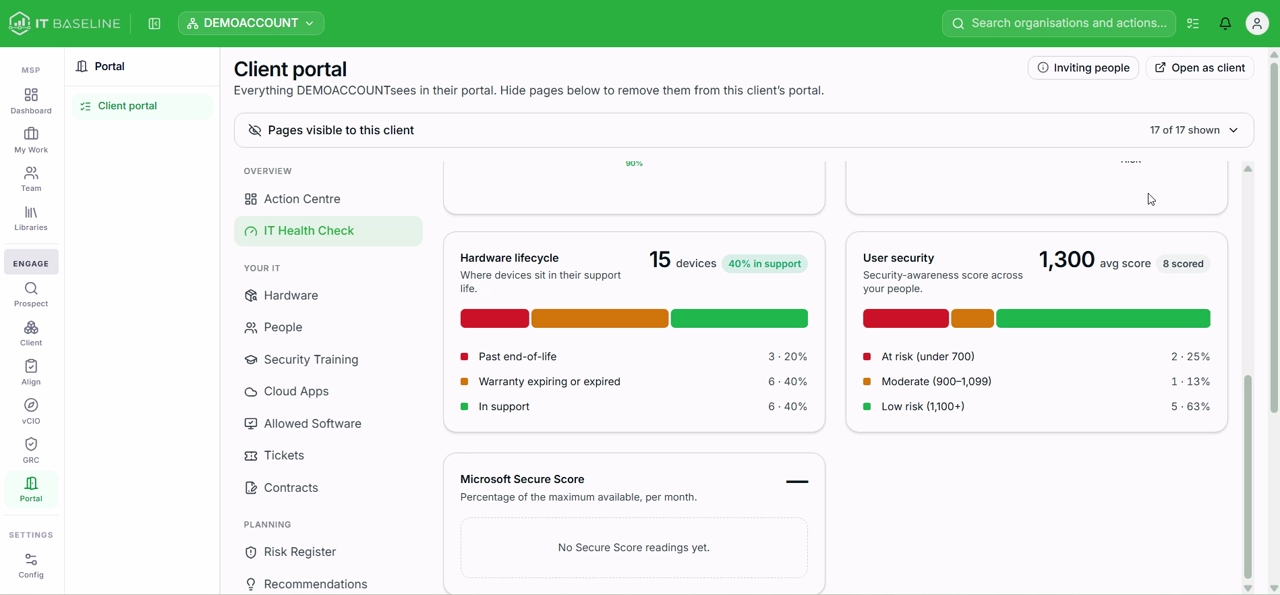
Example output from a demo account, not a real customer's data.
You choose exactly what each client sees
From the MSP side, every page in the portal is a visible/hidden toggle set per client. Nothing appears unless you've switched it on for them, and an "Open as client" preview shows you exactly what they'll see before it goes live.
- Page-by-page visibility control, set per client
- "Open as client" preview before anything goes live
- Invite people directly into their organisation's portal
- Same live data throughout, nothing is a static export unless you choose to export it
Example output from a demo account, not a real customer's data.
The full picture, organised the way a client can follow
The portal is the single place all of your other Core features surface to the client: the Risk Register, Standard Library alignment, Compliance Alignment and both reports all live here, alongside the everyday detail that usually sits in disconnected spreadsheets.
- Your IT: hardware, cloud apps and SaaS spend, security awareness training, allowed software, tickets, contracts
- Planning: Risk Register, recommendations, the phased Improvement Plan, budget forecast
- Compliance: framework alignment, policies for sign-off, technical controls, and an exportable evidence pack
Full detail on how the Risk Register, Standard Library and Compliance Alignment work lives on their own pages; this page is about how it's delivered to the client, not how each one works.
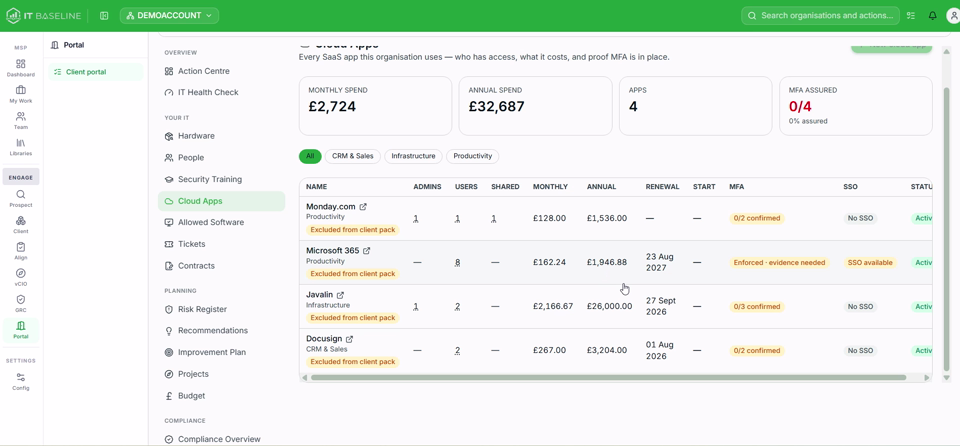
Example output from a demo account, not a real customer's data.
Trust builds between reviews, not just during them
Clients stop waiting for the next QBR to find out where they stand. They can check progress, approve the next phase of work, or pull their own compliance evidence whenever they need it, and every figure they see is the same live data you're working from, not a snapshot that's already gone stale.
- Clients self-serve routine questions instead of emailing you
- Approvals happen faster because the client can review the detail in their own time
- One place to point to when a client asks "prove it" on security or compliance
See what your clients would see
Book a walkthrough and we'll open the portal exactly as a client would, with a real or sample account.
Book a demo